---
title: "Electronic Pay Stubs: Access, Printing and State Rule Checks"
description: "Check electronic pay-stub access, printing and saved copies. Review named New York and California examples, find missing statements, and plan for portal changes."
url: "https://blog.checkstubsonline.com/electronic-pay-stubs-access"
datePublished: "2026-11-09"
dateModified: "2026-11-09T17:00:28Z"
---
# Electronic Pay Stubs: Access, Printing and State Rule Checks
Check electronic pay-stub access, printing and saved copies. Review named New York and California examples, find missing statements, and plan for portal changes.
Published: 2026-11-09 · Updated: 2026-11-09T17:00:28Z
By [Check Stubs Online Editorial Team](https://blog.checkstubsonline.com/editorial-policy#editorial-team)
**Electronic pay stubs can provide usable wage records when workers can obtain the complete statement, retain a copy and use the access or printing options required for their location.** Federal FLSA recordkeeping is separate from state wage-statement delivery rules. Check the applicable state and job coverage, then test the actual portal rather than assuming a successful login settles every requirement.
Reviewed November 9, 2026 · U.S. employee access and record-saving practices, with specifically identified New York and California examples. This is not a 50-state legal classification. The California electronic-delivery discussion identifies the dated DLSE opinion as guidance; current law, coverage and particular arrangements require separate review. The archive example is fictional.
A mobile payroll app can display net pay while hiding the full wage statement behind another link. A portal can also work today and become inaccessible after a job change. The practical goal is a complete, readable record that can be checked later, together with a clear route for missing documents.
This employee-facing guide differs from our [payroll-record migration checklist](https://blog.checkstubsonline.com/digitize-payroll-records), which addresses organizing a system change. Here the focus is obtaining and retaining the worker’s own statements.
## In this guide
1. [Separate federal records from statement delivery](#digital-federal)
2. [Review named state examples](#digital-state)
3. [Test opening, saving and printing](#digital-test)
4. [Find gaps in an original archive example](#digital-archive)
5. [Prepare for leaving or changing portals](#digital-exit)
6. [Request a specific missing statement](#digital-problem)
7. [Use document tools for the correct task](#digital-tool)
8. [Electronic pay-stub questions](#digital-faq)
## Federal records and employee statements answer different questions
The [DOL FLSA pay-stub FAQ](https://webapps.dol.gov/elaws/faq/esa/flsa/018.htm) distinguishes the employer’s federal wage-and-hour record duties from delivery: the FLSA itself does not impose a duty to furnish employee pay stubs. That federal baseline does not erase a state’s wage-statement requirement, an applicable agreement or other obligations.
A payroll database retained by an employer and a wage statement delivered to a worker are different outputs. Having a server backup does not demonstrate that an employee received the required information. Likewise, a worker’s saved screenshot does not establish that the employer met every recordkeeping obligation.
Direct deposit is another separate issue. The transfer pays wages; the statement explains the earnings and reductions. Consent or instructions for a payment method should not be assumed to answer the electronic-statement rules. Identify the relevant requirement before evaluating the delivery process.
## Two named examples: New York and California
For covered New York employment, [Labor Law section 195(3)](https://www.nysenate.gov/legislation/laws/LAB/195) requires a statement with each wage payment and lists required information. The [New York DOL wage-theft FAQ, question 28](https://dol.ny.gov/system/files/documents/2021/03/wage-theft-prevention-act-frequently-asked-questions_0.pdf), permits electronic statements with access on an employer-provided computer and the ability to print a copy for the worker’s records.
That is more specific than simply requiring a personal smartphone. It also illustrates why the exact provision matters: the FAQ discusses hiring notices separately from wage statements. Do not copy an acknowledgement rule for one document and assume it resolves the other.
In California, the [Labor Commissioner’s payday and payroll-record FAQ](https://www.dir.ca.gov/dlse/FAQ_Paydays.htm) describes itemized wage statements and access to payroll records. For electronic delivery specifically, [DLSE opinion 2006.07.06](https://www.dir.ca.gov/dlse/opinions/2006-07-06.pdf) discusses paper election, easy access, no-cost printing, confidentiality, required content and retained access for current and former workers.
The opinion reviews a described system, including statements available by payday and free paper copies on request for former employees. It is dated administrative guidance, not a new nationwide electronic-pay-stub statute or a complete implementation review. Use the current law and the actual system’s facts when assessing California obligations.
**Named electronic-statement examples and their practical questions**
| Jurisdiction and source | Specific point reviewed | Question for the actual system |
| --- | --- | --- |
| New York: section 195(3) and DOL FAQ28 | Statement with each payment; employer-computer access and printing in the electronic FAQ | Can the covered worker access and print the complete statement at work? |
| California: current agency FAQ and dated DLSE opinion | Itemized statements, record access and conditions discussed for electronic delivery | How are paper election, free printing, confidentiality and former-worker access handled? |
| Another jurisdiction | Its own applicable law and agency guidance | What delivery, access, consent, paper or retention rules cover this worker? |
These examples do not classify the other states. For a remote worker, establish the governing work location and applicable coverage rather than relying only on the employer’s headquarters or the tax state selected in software. Ask the relevant labor agency or a qualified adviser if the rule is unclear.
## Test the entire access path
Use the employer’s verified portal address or documented app. Find the full statement for a specific payday, not just a dashboard balance. Confirm the employee and employer, pay period, pay date, earning lines, reductions and payment information are visible in the output.
Download the employer-provided PDF or other complete statement when available. Reopen the saved file and check every page at a readable size. A download icon that saves only a shortcut or an expired web address has not created a usable retained copy.
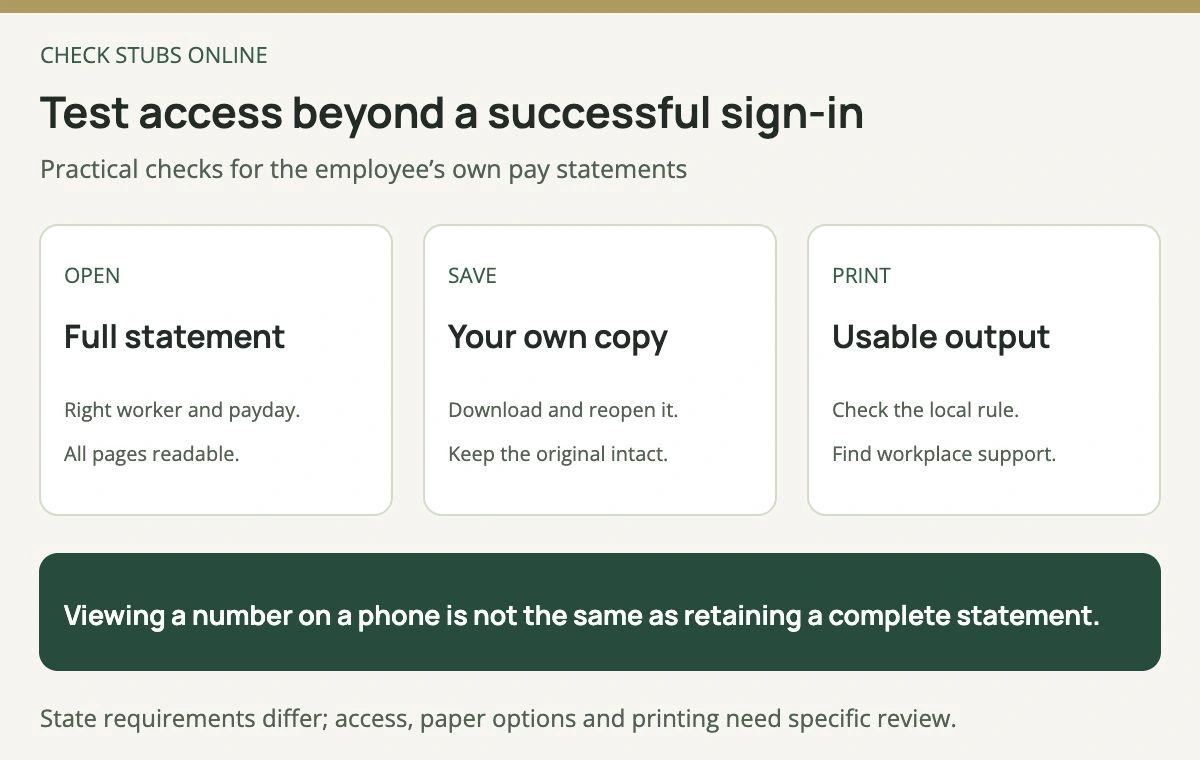
This is a practical employee record check. Legal delivery and consent obligations depend on the applicable jurisdiction.
Test the print output as well. Wide earnings tables, multiple pages or a mobile layout can be clipped in a browser print view. Check that the final columns and totals remain readable. If a workplace computer or printer is needed, ask where it is available and whom to contact when it fails.
Keep accessibility needs in the process. Ask for a usable alternative when a document cannot be read with the tools you rely on. A visual preview alone does not establish that the saved file contains selectable text or works with assistive technology.
## Original example: find two missing statements by date
Assume a fictional worker is scheduled for weekly Friday payments on October 2, 9, 16, 23 and 30, and November 6, 2026. Assume all six payrolls actually occurred and there were no extra runs, cancellations or replacements. The worker has saved originals only for October 2, October 9, October 23 and November 6.
There are six expected dates and four matching saved statements. The archive therefore needs checking for October 16 and October 30. Six minus four equals two, but this count alone says nothing about whether wages were paid correctly.
**Original six-payday archive check**
| Scheduled pay date in 2026 | Saved original in this example | Next record action |
| --- | --- | --- |
| October 2 | Yes | Keep the complete file |
| October 9 | Yes | Keep the complete file |
| October 16 | No | Locate or request this date |
| October 23 | Yes | Keep the complete file |
| October 30 | No | Locate or request this date |
| November 6 | Yes | Keep the complete file |
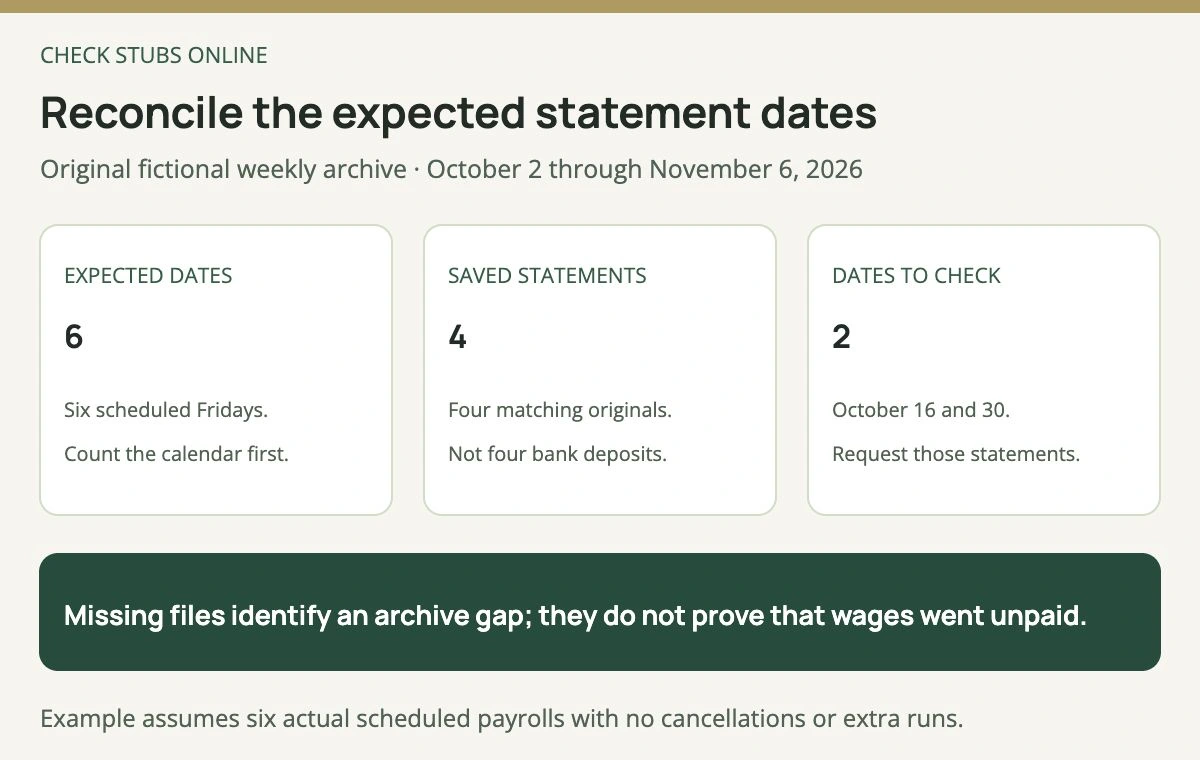
The example is a document inventory, not a wage-underpayment calculation. A different payroll calendar requires a different expected-date list.
A bank transaction list cannot fill the missing explanation of gross wages, withholding and deductions. Use it to help identify a payment, then request the corresponding statement. When auditing cumulative earnings, use our [YTD gross reconciliation guide](https://blog.checkstubsonline.com/ytd-gross-pay); adding several overlapping YTD balances would overcount wages.
## Before a job ends or the portal changes
Ask when active-worker access ends and how a former worker requests records. Confirm whether access depends on a work email account or company device that will be disabled. Use the authorized contact-update process so the records team can reach you later.
Save the statements you are entitled to retain, together with the appropriate annual tax documents. Keep the original filenames or add a clear year, employer and payday label without putting a full Social Security number in the name. Separate original, superseded and corrected statements in your tracking notes.
Ask how prior-system records are handled after a vendor change. A recent-date filter, a separate archive link and genuinely unavailable history are different situations. If the business has closed, the [former-employer records guide](https://blog.checkstubsonline.com/pay-stubs-employer-closed) covers the separate search for a verified records contact.
Your personal saving schedule and an employer’s legal retention duty are also different. Keep records according to your needs and applicable obligations; do not infer that you must delete a useful document when a generic employer-retention period ends.
## Request the missing record with enough detail
Describe the problem precisely: “I can open the app, but the October 16 statement is absent,” or “the PDF omits the deduction column when printed.” Include the pay date or date range, the observed issue and the secure delivery method you can use. Do not send your login password to a support representative.
Keep a record of the request and response. Ask for the full employer-issued statement or its authorized correction rather than requesting that someone adjust a screenshot. If the issue concerns wages or an applicable statement right and remains unresolved, use the appropriate labor agency’s current process.
The [guide to payroll contacts](https://blog.checkstubsonline.com/who-handles-payroll-in-a-company) can help distinguish HR access support from the team responsible for correcting earnings. For a missing annual W-2, use the different [former-employer W-2 retrieval guide](https://blog.checkstubsonline.com/w2-from-former-employer).
## A document builder is a preparation tool
The [Check Stubs Online pay stub maker](https://www.checkstubsonline.com/pay-stub-maker) prepares a document from information entered into its supported workflow. It does not sign into an employer’s portal, retrieve historical statements or prove that a wage payment occurred.
Authorized preparers should use actual payroll records, verify the earnings and deduction inputs, and review the complete output against the applicable requirements. An employee requesting a missing original should use the employer’s record-access route. Creating a new PDF from guessed figures does not recover the issued statement.
## Electronic pay-stub questions
### Is a bank deposit an electronic pay stub?
No. A deposit records a transfer; it generally does not provide the full wage calculation.
### Can an employer require me to use my own phone?
Do not assume a universal answer. Check the applicable jurisdiction and coverage. The cited New York FAQ specifically addresses employer-provided computer access and printing.
### Should I save a screenshot or a full statement?
Prefer the complete employer-provided document when available. A screenshot can omit pages, dates, labels or columns needed later.
### Does every state allow electronic statements under the same conditions?
No. Verify the relevant law and agency guidance; the two examples here are not a substitute for that review.
The Check Stubs Online Editorial Team reviewed primary federal and named-state materials, checked the actual preparation tool, and independently verified the fictional Friday-payday archive and its missing-date count.
## Relevant document tool
Prepare a pay stub from verified payroll records
Authorized preparers can enter company, worker and pay information, choose a supported template and review the complete statement.
[Explore the pay stub maker](https://www.checkstubsonline.com/pay-stub-maker)
This tool does not retrieve employer records or verify wage payment. Review all applicable statement requirements.
## Related guides
- [ADP Pay Stubs: Official Access, Downloads and Employer Help](https://blog.checkstubsonline.com/adp-pay-stubs-official-access)
- [Direct Deposit vs. Paper Check: Timing, Access and Pay Records](https://blog.checkstubsonline.com/direct-deposit-vs-paper-check)
- [YTD Gross Pay: Meaning, Calculation and Correction Checks](https://blog.checkstubsonline.com/ytd-gross-pay)