---
title: "How to File Form 1099-MISC: Recipient Copies, IRS Filing and Proof"
description: "File 1099-MISC for 2026 payments: check reporting rules, aggregate e-file counts, IRIS access, 2027 deadlines, recipient delivery and acknowledgments."
url: "https://blog.checkstubsonline.com/file-1099-misc"
datePublished: "2026-11-20"
---
# How to File Form 1099-MISC: Recipient Copies, IRS Filing and Proof
File 1099-MISC for 2026 payments: check reporting rules, aggregate e-file counts, IRIS access, 2027 deadlines, recipient delivery and acknowledgments.
Published: 2026-11-20
By [Check Stubs Online Editorial Team](https://blog.checkstubsonline.com/editorial-policy#editorial-team)
**To file Form 1099-MISC, confirm the payment belongs on that form, reconcile the annual records, prepare the correct tax-year information, deliver the recipient statement and separately submit the IRS return through the required filing method.** Save the submission acknowledgment and resolve errors. Downloading a PDF or emailing a recipient copy does not, by itself, file the return with the IRS.
Reviewed November 20, 2026 · Focus: U.S. payer reporting of 2026 payments in the 2027 filing season. Rules differ by payment type, recipient, year and filing situation. Examples are fictional and assume no waiver, special extension or applicable reporting exception.
The word “file” can hide several unfinished tasks. One person may mean filling a form, another may mean sending Copy B, and a third may mean obtaining an IRS acceptance. Keep those steps separate so a complete-looking packet does not leave an actual filing obligation open.
## In this guide
1. [Confirm the form and reporting year](#misc-eligibility)
2. [Reconcile the annual payment record](#misc-reconcile)
3. [Choose the filing method](#misc-method)
4. [Set separate delivery and filing dates](#misc-deadlines)
5. [Submit and preserve the acknowledgment](#misc-submit)
6. [Deliver the recipient statement](#misc-recipient)
7. [Use a PDF tool within its scope](#misc-tool)
8. [1099-MISC filing questions](#misc-faq)
## 1. Confirm that the payment belongs on Form 1099-MISC
Start with the transaction, not a blank form. The [IRS payment-reporting overview](https://www.irs.gov/businesses/small-businesses-self-employed/am-i-required-to-file-a-form-1099-or-other-information-return) distinguishes rents, royalties and other MISC categories from nonemployee service compensation and other information returns. Backup withholding can trigger reporting regardless of the payment amount. Check exceptions and the applicable box before proceeding.
For 2026, the [current 1099-MISC/NEC instructions](https://www.irs.gov/instructions/i1099mec) set a $2,000 threshold for several categories, including qualifying rents and certain other income, while royalties generally retain a $10 threshold. Other boxes differ. Do not apply a single dollar cutoff to every MISC payment or reuse an earlier year’s threshold automatically.
This is payer filing guidance. If you received a statement, you generally use it when preparing your own return rather than filing a duplicate payer return. For a wrong statement, contact the payer. For service payments, first read our [1099-NEC versus 1099-MISC comparison](https://blog.checkstubsonline.com/1099-nec-vs-1099-misc).
## 2. Reconcile the annual payments before entering the boxes
Build a worksheet with the tax year, payer, recipient, payment date, payment type, amount and supporting reference. Identify refunds, duplicates and transactions that need separate review. Confirm which reporting rule applies to the payment method; do not assume every bank debit belongs in the same 1099 total.
Use the recipient’s [Form W-9 information](https://www.irs.gov/forms-pubs/about-form-w-9) to obtain the correct taxpayer identification information for applicable reporting. Resolve inconsistent names or TINs through a secure process rather than guessing. Our [W-9 preparation guide](https://blog.checkstubsonline.com/w9-online-generator-guide) explains the document’s role.
### Original 2026 rent example
Assume a business pays four $625 rent payments directly by check to the same nonexempt U.S. recipient during 2026. The payments are qualifying business rent, not personal rent or amounts routed through a property manager; no reporting exception applies. The annual total is $2,500.
**Original qualifying business-rent worksheet for 2026**
| Item | Amount | Meaning in this example |
| --- | --- | --- |
| Four payments at $625 | $2,500.00 | Total qualifying annual rent |
| Applicable 2026 rent threshold | $2,000.00 | Used to test reporting obligation |
| Difference above threshold | $500.00 | Not the amount to report |
| Rent reported in Box 1 | $2,500.00 | Full annual qualifying amount |
Keep the threshold test separate from the reported amount. The example does not establish that every real rent payment is reportable; verify the recipient, business purpose, method and exceptions first.
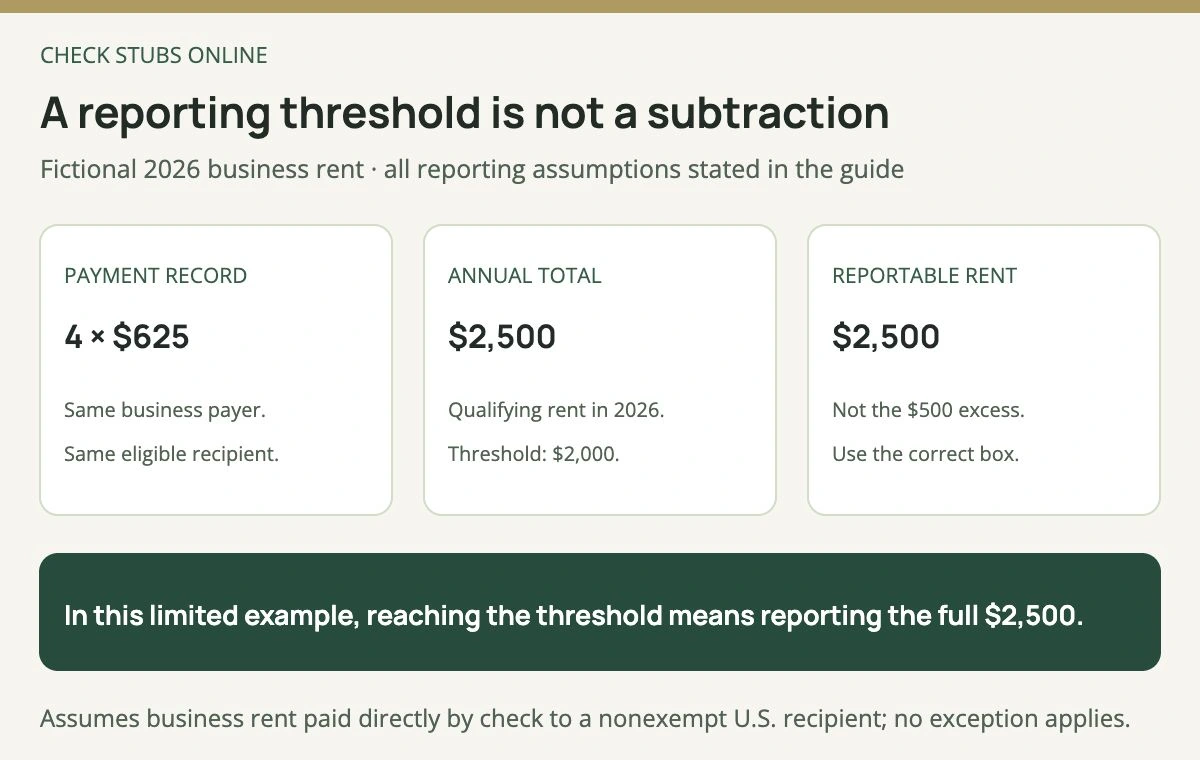
The full payment total is reported under these limited assumptions. No filing obligation is inferred solely from the existence of a bank transaction.
## 3. Decide whether electronic filing is required
The [IRS electronic-filing FAQ](https://www.irs.gov/faqs/electronic-filers) requires e-filing for 10 or more applicable information returns unless a waiver applies. Count across the relevant form types, including Forms W-2; the test is not limited to the number of 1099-MISC forms.
For a fictional original-return batch, six W-2s plus four 1099-MISC returns equals ten. The batch reaches the threshold even though it contains only four MISC returns. W-2s still go to the Social Security Administration. Aggregating the count does not send every type of return to one system.
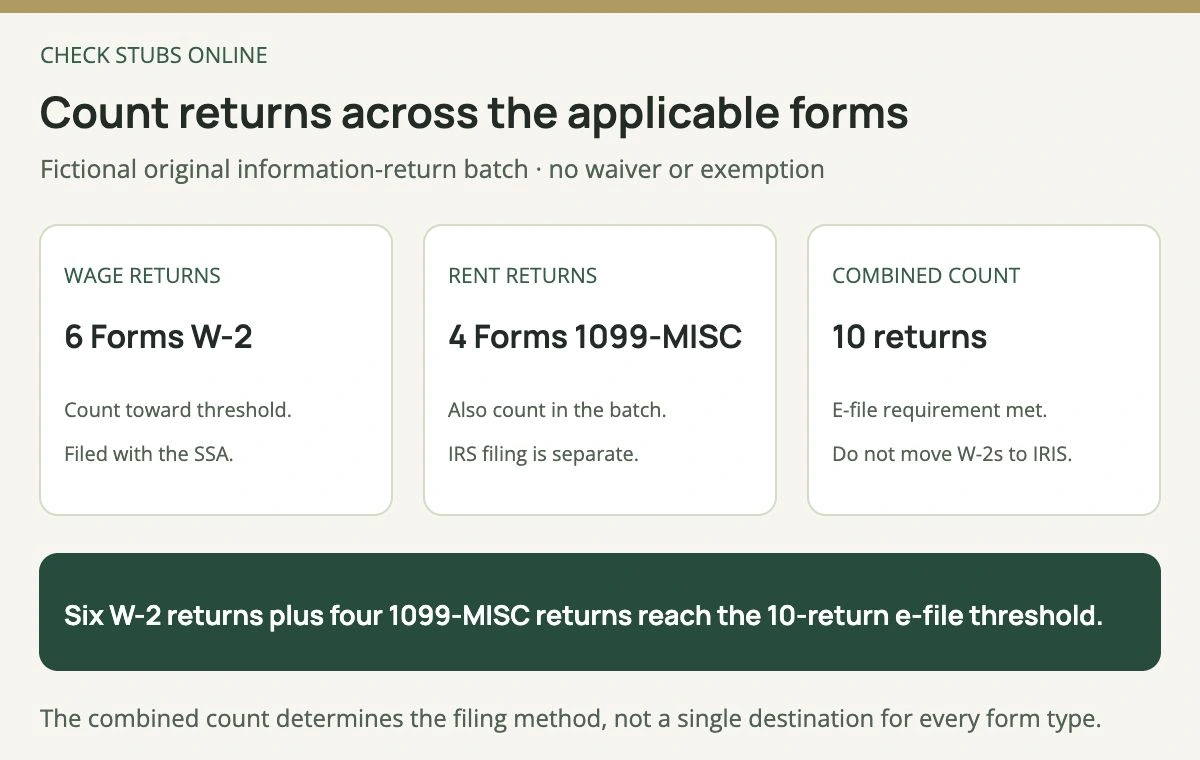
This example tests the electronic-filing threshold. It does not combine the distinct SSA and IRS filing destinations.
For the 2027 season, [Publication 1099 for 2026](https://www.irs.gov/publications/p1099) directs the transition from FIRE to IRIS for IRS information-return intake. An IRIS TCC application typically takes 45 business days, with actual timing variable. Arrange access early; a code for another system does not establish IRIS readiness.
The [official IRIS page](https://www.irs.gov/filing/e-file-information-returns-with-iris) describes a free Taxpayer Portal with manual entry or CSV upload, up to 100 returns at a time, recipient-copy downloads and correction support. Use the current tax-year instructions and portal guidance. If using a service, confirm who transmits, which returns are covered and how you obtain the actual acknowledgment.
## 4. Put recipient delivery and IRS filing on separate dates
Applying the IRS’s ordinary dates and next-business-day rule gives this 2026-payment calendar. The [2027 federal holiday schedule](https://www.opm.gov/policy-data-oversight/pay-leave/federal-holidays/) confirms February 15 is Washington’s Birthday. Special relief or extensions require their own verification.
**Ordinary 1099-MISC deadlines for 2026 payments, due in 2027**
| Task | Ordinary adjusted date | Why this date applies |
| --- | --- | --- |
| Recipient statement, generally | February 1, 2027 | January 31 falls on Sunday. |
| Recipient statement if amounts appear in Box 8 or 10 | February 16, 2027 | February 15 is a legal holiday. |
| Paper IRS filing, when permitted | March 1, 2027 | February 28 falls on Sunday. |
| Electronic IRS filing | March 31, 2027 | The ordinary electronic deadline is a Wednesday. |
These dates follow the [MISC filing instructions](https://www.irs.gov/instructions/i1099mec) and [recipient-statement rules](https://www.irs.gov/publications/p1099). Electronic IRS filing does not move recipient delivery to March 31. Our broader [2027 wage and information-return calendar](https://blog.checkstubsonline.com/w2-1099-deadlines-2027) covers adjacent forms.
## 5. Submit the return and check what happened
1. **Check the final data.** Match the payer, recipient, tax year, box amounts and any actual withholding to the approved worksheet.
2. **Use the required channel.** Follow current IRIS or authorized-service instructions, including the correct year’s CSV format if applicable. A downloaded PDF is not a CSV upload.
3. **Read the resulting status.** Preserve the submission reference and acknowledgment. Investigate rejected items and use the system’s error instructions; do not assume an upload screen means acceptance.
4. **Record the final outcome.** Keep the accepted version and any subsequent corrected version distinguishable. Avoid sending another original return merely because you are uncertain about the first submission.
If paper filing is permitted, the [IRS warns that downloaded Copy A is not scannable](https://www.irs.gov/businesses/small-businesses-self-employed/am-i-required-to-file-a-form-1099-or-other-information-return) for paper submission. Obtain an appropriate scannable form or compliant substitute. [Form 1096](https://www.irs.gov/forms-pubs/about-form-1096) is the paper summary/transmittal for applicable returns; it is not an extra electronic filing step.
Check state reporting separately with the relevant state agency or filing service. A federal submission does not by itself establish that every state task is finished. If a filed return needs correction, use the applicable correction procedure and retain its acknowledgment rather than only changing a local PDF.
## 6. Deliver the statement and retain evidence of that separate task
Recipient delivery has its own requirements. Publication 1099 describes affirmative consent and other conditions for electronic statements; having an email address is not enough to assume those conditions are met. Use an appropriate paper process when electronic furnishing requirements are not satisfied.
Keep a task log with the recipient version, delivery date and method, any consent record, IRS submission reference, final status and unresolved issue. Store TINs and payment records securely. This log is a practical organizer, not a substitute for the applicable record-retention rules.
## Preparing recipient copies is different from filing
The current [Check Stubs Online 1099-MISC builder](https://www.checkstubsonline.com/forms/1099-misc/create) offers 2025 and 2026 modes. Select the actual payment year. Copies 1, B and 2 are completed from entries; red Copy A remains blank. Tax-agency filing is not included.
Review the packet’s year and boxes before ordering. Use the [1099-MISC document guide](https://blog.checkstubsonline.com/1099-misc-generator-guide) for the preparation workflow, then complete the required delivery and filing steps separately. A PDF order confirmation is not an IRS acknowledgment.
## 1099-MISC filing questions
### Can I file only four MISC returns on paper?
First count all applicable information returns. Six W-2s plus those four MISC returns reaches ten and generally requires electronic filing, absent an applicable waiver.
### Does the PDF builder e-file my return?
No. The linked builder prepares document copies. Use the applicable IRS filing process or a service that explicitly provides transmission.
### Is every 2026 reporting threshold $2,000?
No. Thresholds and exceptions depend on the category, and backup withholding can create a reporting duty regardless of amount. Review the specific box.
### Is an accepted IRS return the same as recipient delivery?
No. Track each obligation independently and preserve the evidence for both.
The Check Stubs Online Editorial Team reviewed current IRS reporting and system guidance, checked the builder’s actual 2026 mode, and independently verified the rent total, aggregated return count and calendar dates.
## Relevant document tool
Choose the correct year and review every box
Prepare a 1099-MISC packet from actual payment records, then check the recipient details, year and applicable boxes in the full preview.
[Review the 1099-MISC builder](https://www.checkstubsonline.com/forms/1099-misc/create)
The builder fills document copies and leaves red Copy A blank. IRS filing, recipient delivery and state reporting must be completed separately.
## Related guides
- [1099-MISC Generator: Review Rents, Royalties and Other Payments](https://blog.checkstubsonline.com/1099-misc-generator-guide)
- [1099-NEC vs. 1099-MISC: Differences and 2026 Rules](https://blog.checkstubsonline.com/1099-nec-vs-1099-misc)
- [2026 W-2 and 1099 Deadlines: What Is Due in 2027?](https://blog.checkstubsonline.com/w2-1099-deadlines-2027)